Installation and Activation
This quick start is aimed to get you up and going with EasyDox in your Cloud hosted Virtual machine with D365 Finance and Operations.
Prerequisite
You will need a D365 environment where the Email is configured to send out emails. If you are unsure of sending emails out using your email server then try out Development Email server
Install
The first step is to Install. Follow the steps in the Installation Guide You only need to install this. No need to add it to source control or add it to the build pipeline.
Enable EasyDox
EasyDox needs to be enabled before you can start using it. There are 2 ways.
Enable using Free Trial
Get your activation code and enter it in EasyDox Parameters form. Check further instructions in the Free Trial section
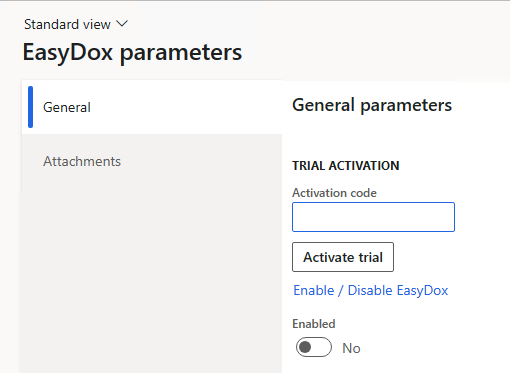
Enable using License
If you have purchased a license, then you just need to select Enable / Disable EasyDox in the EasyDox Parameters form.
If the checkbox for Enabled is Yes then you have successfully enabled EasyDox. 🎉